
Free Guide
Build your first virtual machine.
A whole practice computer running inside a window on the PC you already own. Break it on purpose, put it back in two clicks, and your real computer never notices.
Eleven pages. Every screen named, every command typed out, and the six things that actually go wrong.
Put in your email and it lands in about a minute. No cost, no catch.
It's on the way.
Give it a minute, then check your inbox. If it isn't there, look in spam or promotions and drag it over so the next one lands properly.
I'll send a short note every once in a while about getting into cloud. Leave whenever, no hard feelings.
- Free, 11 page PDF
- No email needed
- Print it or keep it open
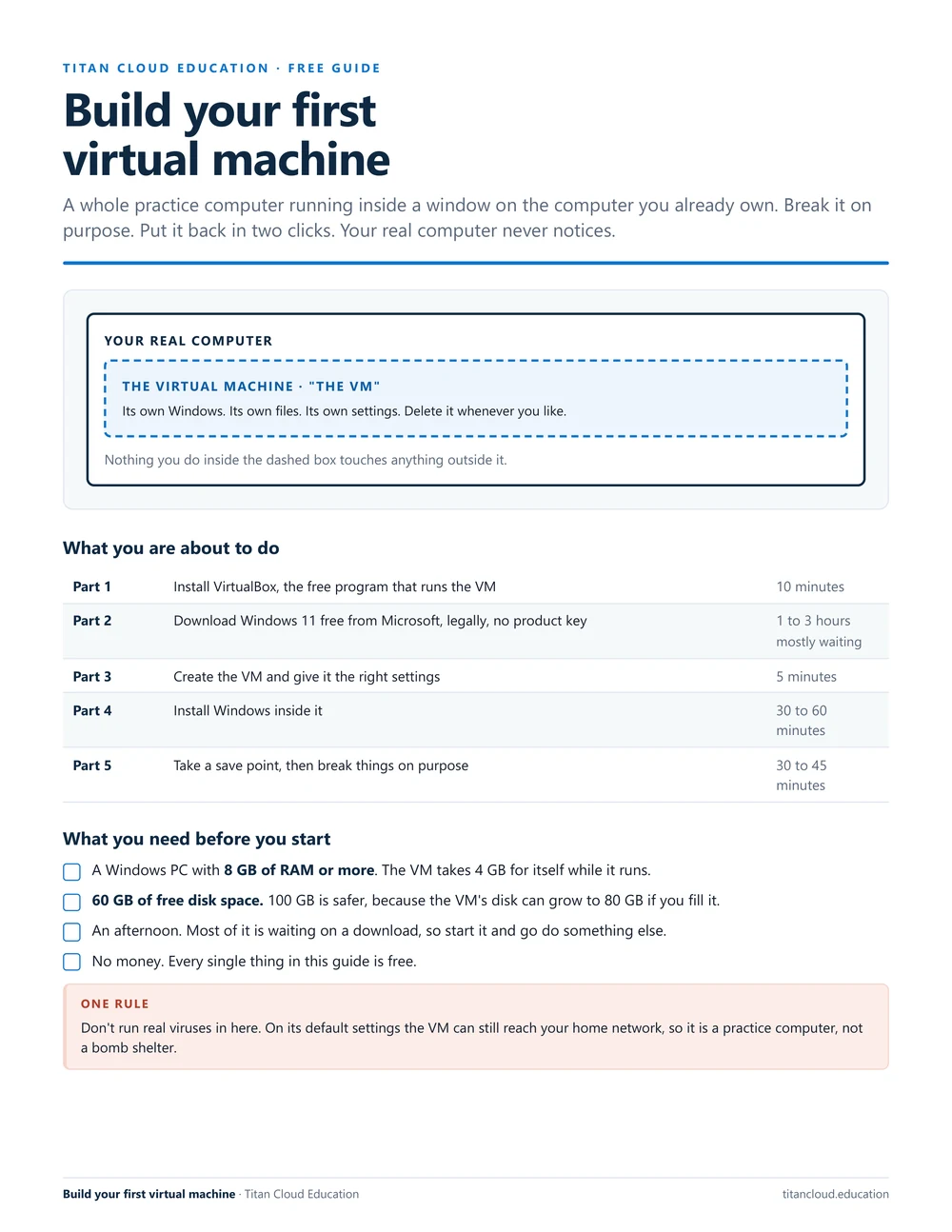
What's in it
Five parts. One afternoon.
Start at the top and work down. Each part says how long it takes and what you should be looking at when it's done.
Install VirtualBox
The free program that runs the VM, in six clicks. Including the two warning boxes everyone panics at, and the one thing on that page to skip.
Get Windows free
Microsoft's own 90 day evaluation. No product key, nothing to cancel, completely legal. Where to click, and what to do when the form refuses you.
Create the VM
Every setting in one table, with the two people always get wrong. Plus why asking for an 80 GB disk doesn't cost you 80 GB today.
Install Windows in it
Eight numbered steps through setup, the sign-in screen that traps people, and the one install that makes the window resize properly.
Break it on purpose
Seven drills: fill the drive, kill a runaway process, break DNS and fix it, read the event log, write your first script. All copy-and-type.
When it won't work
The six real failures, including the BIOS setting that stops the VM starting and the Windows feature that makes it crawl, each with the exact fix.
Before you start
You need three things.
On a Mac, an Arm laptop, or under 8 GB of RAM? Page 2 of the guide sends you to a free browser lab that needs nothing installed.
Why this one
Everyone says build a lab. Nobody says how.
"Get a home lab" is the advice under every single video about breaking into IT. Then you open VirtualBox, hit a wall at the second screen, and quietly close it again.
So this guide names every button, spells out every command, and tells you what you should be seeing when a step worked. Active Directory needs a second machine running Windows Server, and that walkthrough is the next one I'm writing.
You learn this job by breaking something and putting it back. That's all a lab is.Jaaziel · Titan Cloud Education
Get the guide
One email and it's yours.
It lands in about a minute, built to sit open on a second screen while you work through it. After that I send a short note every once in a while when a new guide or video is up, and you can leave whenever.
It's on the way.
Give it a minute, then check your inbox. If it isn't there, look in spam or promotions and drag it over so the next one lands properly.
I'll send a short note every once in a while about getting into cloud. Leave whenever, no hard feelings.
- Free, 11 page PDF
- No email needed
- Print it or keep it open